Index Match Excel vs VLOOKUP: A Practical Guide
A rigorous comparison of index-match vs VLOOKUP in Excel, detailing when to use each, key differences, and practical migration tips for robust, maintainable spreadsheets.


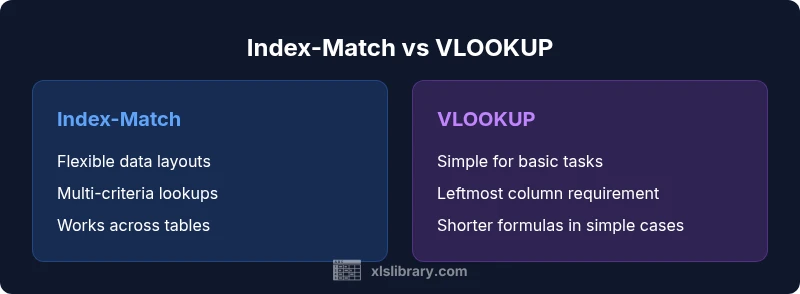
Index-Match Excel vs VLOOKUP is a question of flexibility versus simplicity. In most cases, index-match shines for complex layouts and future-proofing, while VLOOKUP remains straightforward for quick lookups in stable sheets. This guide clarifies when to choose each approach and how to migrate smoothly. Expect tips on exact vs approximate matching, multi-criteria lookups, and practical migration steps.
What index match excel vs vlookup really means
In Excel, the two most common lookup patterns are VLOOKUP and a combination of INDEX and MATCH. The phrase "index match excel vs vlookup" captures a frequent decision point among both aspiring and professional Excel users. Understanding the trade-offs helps you design robust dashboards and dependable data pipelines. This section introduces the core concepts and sets the stage for deeper exploration of when each approach is most appropriate. The XLS Library team emphasizes that the right choice often boils down to data layout, maintenance goals, and how you structure your formulas for readability and auditability. By framing the decision in practical terms, you can avoid common mistakes and build workbooks that scale.
Core technical differences: how each function works
VLOOKUP and INDEX/MATCH implement lookups in different ways. VLOOKUP searches a table for a value in the leftmost column and returns a value from a specified column to the right. INDEX/MATCH separates two concerns: MATCH locates the row (or column), and INDEX retrieves the value from a chosen column or row. This separation provides flexibility to reference any column, and it makes the approach more robust when the table structure changes. The XLS Library team notes that this modularity often improves long-term reliability in dashboards and data models.
Left-to-right constraint and why it matters
A common limitation of VLOOKUP is its left-to-right constraint: the lookup column must be the first column, and the return column must lie to the right. INDEX/MATCH removes this restriction because you can locate the key anywhere with MATCH and then pull data from any column with INDEX. This matters when your lookup key sits in a non-leftmost column or when you want to pivot data across multiple sections of a workbook without reordering columns. Real-world workbooks benefit from this freedom, especially in reports that pull data from several sources.
Flexibility with columns, ranges, and dynamic references
INDEX/MATCH works with full columns or named ranges, which makes it adaptable to expanding data sets. You can avoid hard-coding column indices, enabling formulas that survive column insertions or deletions. This flexibility is particularly valuable in analytics dashboards where data sources evolve. A common pattern is to use MATCH to identify the target column by header and then INDEX to pull the corresponding value. Practically, this reduces maintenance burden and helps teams reduce errors when data structures shift.
Handling errors, exact vs approximate matches, and edge cases
Both approaches support exact and approximate matching, but their defaults can lead to different outcomes if not set thoughtfully. VLOOKUP often requires the exact-match flag to be set, or you risk mismatches on unsorted data. INDEX/MATCH offers explicit control: MATCH’s third argument selects the match type, and INDEX returns the corresponding value. When data contains duplicates or blanks, maintaining deterministic results requires careful planning, such as using IFERROR wrappers or post-processing checks. The practical takeaway is to document assumptions and test formulas under representative data conditions.
Performance considerations and workbook maintainability
Performance between these two approaches is generally similar at small to medium scales; however, readability and maintenance tend to drive the decision for larger workbooks. VLOOKUP formulas are usually shorter and easier for beginners, but they become brittle if the table structure changes. INDEX/MATCH formulas may be longer but are more maintainable due to their flexible references. To keep workbooks clean, adopt named ranges, consistent naming conventions, and a small set of reusable lookup patterns that all team members understand. The goal is sustainable, auditable formulas that withstand organizational changes.
Practical use-case walkthroughs: real-world scenarios
Imagine a sales dataset where you need to retrieve a customer tier based on a customer ID. With VLOOKUP, the lookup column must be leftmost, and the data layout must be kept stable. With INDEX/MATCH, you can locate the ID anywhere in the table and extract the tier from any column, even if that column moves in future updates. In another scenario, you might be joining two sources—one containing IDs and another containing attributes. INDEX/MATCH lets you combine ranges from different sheets and schemas without rewriting multiple references. These examples illustrate why many Excel practitioners prefer INDEX/MATCH for enterprise-grade reporting.
Migration path and best practices for teams
If your team currently relies on VLOOKUP, plan a phased migration toward INDEX/MATCH. Start with a small workbook, convert a handful of formulas, and audit results against trusted references. Use named ranges to reduce accidental errors and document the lookup logic for future contributors. Where available, consider adopting XLOOKUP as a modern replacement that can simplify syntax while preserving flexibility. Establish testing checkpoints and version control so the team can learn from early conversions and extend them safely across larger models.
Common mistakes and debugging tips
Common mistakes include assuming the column index in VLOOKUP is stable, failing to lock references with absolute references, or neglecting data cleaning. For INDEX/MATCH, forgetfulness about the exact-match setting in MATCH or misidentifying the lookup range can lead to subtle errors. Debugging tips include breaking formulas into smaller parts, using helper cells to verify intermediate results, and leveraging Excel's Evaluate Formula tool. Regular data hygiene—trimming spaces, standardizing formats, and ensuring consistent data types—helps prevent lookups from producing wrong results.
Comparison
| Feature | Index-Match | VLOOKUP |
|---|---|---|
| Left-to-right limitation | No limitation (any column) | Limited to right of lookup column |
| Multiple criteria | Easily supports with helper columns or array formulas | Limited; often requires concatenated keys |
| Column reordering impact | Resilient (no fixed column index) | Vulnerable (column index changes can break formulas) |
| Formula length | Can be longer but more flexible | Shorter for simple lookups |
| Learning curve | Steeper (two functions) | Shallower (single function) |
| Error handling | Clear with IFERROR and INDEX/MATCH | Depends on exact match flag |
| Performance with large datasets | Similar performance; readability matters more | Faster for very simple lookups |
| Use with multiple tables | Easier to switch tables and ranges | Can be trickier with complex ranges |
Benefits
- Greater flexibility across data layouts
- Resilient to column reordering
- Supports complex lookups and multi-criteria patterns
- Easier to adapt to new data sources without rewriting every formula
- Works well with dynamic named ranges
What's Bad
- Slightly steeper learning curve
- Requires multiple functions and careful nesting
- Longer formulas can hinder quick scans
- Initial migration requires testing and validation
Index-Match excel vs vlookup: Index-Match is generally the better long-term choice for flexibility and maintainability, while VLOOKUP remains convenient for small, static tasks.
Choose INDEX/MATCH for scalable workbooks where columns may move or where multiple criteria are needed. Use VLOOKUP for quick, simple lookups on stable sheets, or when you need a shorter formula in a legacy workbook.
People Also Ask
What is the main difference between INDEX/MATCH and VLOOKUP?
INDEX/MATCH combines two functions to locate a value anywhere in the table, while VLOOKUP searches only to the right of the lookup column. INDEX/MATCH is generally more flexible and robust against column changes, whereas VLOOKUP is simpler for basic tasks.
INDEX/MATCH combines two functions for flexible lookups; VLOOKUP is simpler but more limited.
When should I prefer VLOOKUP over INDEX/MATCH?
Use VLOOKUP for quick, small lookups in stable worksheets where the lookup column is the leftmost column and the table won’t change. It’s straightforward for beginners and minimizes formula clutter in simple cases.
VLOOKUP is best for quick, simple lookups in stable sheets.
Can INDEX/MATCH handle multiple criteria?
Yes. You can implement multiple criteria using helper columns or array formulas. INDEX/MATCH provides the flexibility to combine criteria in a way that remains legible and maintainable.
Yes—with helper columns or array formulas, INDEX/MATCH handles multiple criteria.
Is XLOOKUP a replacement for both?
XLOOKUP consolidates the best parts of both functions and can replace VLOOKUP and INDEX/MATCH in many scenarios. If your Excel version supports it, XLOOKUP offers a simpler, more robust API.
XLOOKUP often replaces both by offering a simpler approach with robust behavior.
What are common mistakes when converting a VLOOKUP to INDEX/MATCH?
Common errors include misplacing the lookup array, forgetting to lock ranges, and mismatching data types. Break formulas into parts to verify each function's result and use named ranges for clarity.
Common mistakes include misplacing the lookup array and forgetting absolute references.
The Essentials
- Choose Index-Match for flexible data layouts
- Avoid left-to-right constraint with INDEX/MATCH
- Plan migration gradually with tests
- Document lookup logic for team clarity
- Use named ranges to simplify formulas