Microsoft Excel Course: Master Essential Excel Skills
This comprehensive Microsoft Excel course guides beginners to advanced users with practical, project-based lessons. Master formulas, data analysis, charts, and dashboards.


You will learn to evaluate, enroll in, and complete a structured Microsoft Excel course that covers core functions, data analysis, charting, and automation. By the end, you'll be able to build real-world spreadsheets, apply formulas confidently, and create dashboards. Key requirements include a computer with Excel, reliable internet, and consistent study time.
Why Take a Microsoft Excel Course
In the day-to-day work of data entry, budgeting, forecasting, or reporting, spreadsheets are a central tool. A structured Microsoft Excel course can dramatically shorten the learning curve and raise the quality of your outputs. According to XLS Library, learners who join a well-designed course often gain a clearer map of Excel’s capabilities, moving from basic data entry to more reliable analysis in a fraction of the time it would take to learn on the job. A good course does more than list features; it shows you how to apply formulas, validate data, and present findings in a way that’s easy for colleagues to act on.
Beyond rote skills, an Excel course builds problem-solving habits. You’ll encounter real-world scenarios—such as reconciling a mismatch in a dataset, cleaning messy inputs, or building a dashboard that updates automatically when data changes. The result is not just a set of functions, but a mental model for organizing information, testing assumptions, and communicating insights with confidence. Expect practice-driven lessons, clear milestones, and tangible artifacts you can reuse on the job.
What You Will Learn in a Microsoft Excel Course
A robust Excel course is organized around core competencies, not just a list of functions. You’ll begin with foundational topics (cell references, basic formulas, and formatting) and progressively tackle data cleaning, validation, lookup strategies, and error handling. As you advance, you’ll learn data modeling techniques, advanced formulas (like XLOOKUP and IFERROR), and data visualization best practices. You’ll also explore table design, conditional formatting, and the fundamentals of dashboards. Practical exercises use real-world datasets to reinforce learning, ensuring you can transfer classroom knowledge to actual work tasks. By the end, you’ll be comfortable generating insights from data, presenting them clearly, and iterating on analyses based on feedback.
Course Formats and How They Benefit Different Learners
Excel courses come in several formats to suit different schedules and learning styles. Self-paced video lessons let you learn on your own timeline, which is ideal for busy professionals. Live, instructor-led sessions provide real-time Q&A and structured accountability, helpful for learners who benefit from interaction and peer feedback. Hybrid formats combine asynchronous content with periodic live sessions for balance. Some programs offer micro-credentials or certificates that demonstrate competency to employers. When choosing a format, consider your learning goals (quick upskilling vs. deep mastery), your preferred pace, and how much practice time you can commit each week. All formats should emphasize hands-on projects, formative assessments, and feedback loops to reinforce skills.
Building Practical Skills: Real-World Projects
The most valuable Excel learning happens through real tasks that mirror the workplace. Expect projects such as creating and maintaining a monthly budget with automated totals, building a dashboard that updates from a central data table, or cleaning a messy dataset and producing a reproducible report. You’ll practice data validation, conditional formatting to flag anomalies, and pivot tables to summarize large datasets. A well-designed course will pair each project with a rubric, showing how accuracy, efficiency, and clarity are measured. You’ll also compare several approaches to a problem, understanding the trade-offs of each method and documenting your decisions for future reference.
How to Choose the Right Microsoft Excel Course
Selecting the right course depends on your starting point and objectives. Start by assessing your current skill level and desired outcomes: do you need basics, advanced formulas, data visualization, or automation? Review the syllabus for coverage of essential topics such as indexing and matching, data cleaning, and dashboards. Look at the balance between theory and practice, the quality of projects, and the availability of feedback from instructors. Check platform reliability, accessibility features, and any associated costs or subscription models. Finally, read learner reviews with a critical eye for how well the course translates to real work and how transferable the certificate will be for your career.
A Step-by-Step Learning Plan for Beginners to Advanced
- Step 1: Set your goals and baseline. Identify the Excel skills you want to master and measure progress with small, measurable tasks.
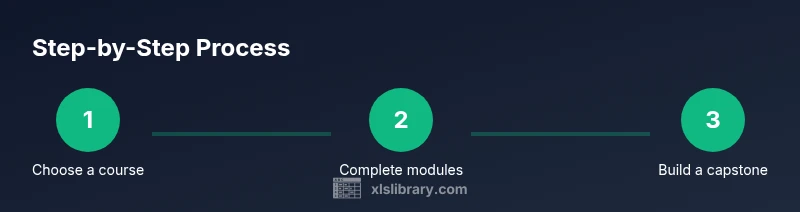
- Step 2: Choose a course aligned with your goals. Confirm syllabus topics, pace, and available practice datasets.
- Step 3: Build a consistent study routine. Schedule dedicated blocks for lessons, labs, and review sessions.
- Step 4: Complete foundational modules first. Master cell references, basic formulas, and formatting before moving to data cleaning.
- Step 5: Practice with real data. Import datasets, clean them, and produce a usable report or dashboard.
- Step 6: Tackle advanced topics. Learn LOOKUP functions, dynamic arrays, Power Query basics, and dashboard design.
- Step 7: Capstone project and review. Create a comprehensive workbook that demonstrates end-to-end skills and seek feedback.
- Step 8: Reflect and credentialize. Archive artifacts, compare against the rubric, and decide on next learning steps.
Estimated total time: several weeks with regular practice sessions.
Common Pitfalls and How to Avoid Them
Common pitfalls include skipping practice, overreliance on manual processes, and failing to validate data before analysis. To avoid these, build a habit of testing formulas on small datasets, document assumptions, and use Excel’s error-checking features to catch mistakes early. Another pitfall is neglecting keyboard efficiency; learning a few essential shortcuts saves significant time over the course of weeks or months. Finally, avoid the trap of chasing every new feature; focus on developing a strong foundation in core functions and data workflows before exploring niche tools.
How to Measure Your Progress and Certifications
Progress should be assessed through hands-on projects, quizzes, and a final capstone that demonstrates end-to-end capability. Track improvements in accuracy, speed, and the ability to explain your reasoning. Certifications, when earned from a reputable program, can serve as tangible proof of your skills to employers. Keep a portfolio of completed exercises and dashboards, which you can share during interviews or performance reviews. Use self-assessments or practice datasets to benchmark your readiness for real-world tasks.
Leveraging Excel Courses for Career Growth
Excel mastery translates to a wider range of roles and responsibilities. From data analyst and finance professional to operations coordinator, solid Excel skills reduce manual effort, improve decision support, and enable better data storytelling. Leverage course certificates in resumes and professional networks, and actively apply new techniques to current work tasks. Build a habit of sharing dashboards and data-driven insights with teammates, which positions you as a reliable resource for turning data into action.
Tools and Resources You'll Use in the Course
- A computer with internet access and a modern web browser
- Microsoft Excel installed (Office 365 or equivalent) or access to a compatible cloud-based sheet app
- Access to a sample dataset (CSV or Excel) for practice
- A note-taking tool for documenting formulas and conventions
- An online workspace or cloud storage for saving course artifacts and dashboards
Tools & Materials
- Computer with internet access(Windows or macOS; ensure you can install Excel or use a cloud version)
- Microsoft Excel(Office 365 subscription or standalone Excel version; recent updates preferred)
- Web browser(Chrome/Edge/Firefox; enable pop-ups for course portals)
- Note-taking app or notebook(Record formulas, shortcuts, and learnings)
- Sample dataset(CSV or Excel file for hands-on practice)
- Cloud storage(Optional backup for course artifacts)
- Headphones or quiet workspace(Useful for active listening in videos)
Steps
Estimated time: Several weeks with regular practice
- 1
Define your Excel learning goals
Identify the specific skills you want to acquire (e.g., formulas, data cleaning, dashboards) and set practical milestones. This gives your course a clear direction and helps you measure progress.
Tip: Write down 3 concrete outcomes you want to achieve by the end of the course. - 2
Select a course that matches your goals
Review syllabi for topics, hands-on projects, and certificate options. Prefer courses with real-world datasets and instructor feedback to maximize practical applicability.
Tip: Check for sample lessons or a syllabus preview before enrolling. - 3
Create a weekly study plan
Block regular study sessions, including video lessons, labs, and review periods. Consistency beats intensity for long-term retention.
Tip: Treat Excel practice like a workout: short, frequent sessions beat long, sporadic spans. - 4
Build foundational competencies
Master cell references, basic arithmetic operators, and common functions (SUM, AVERAGE, COUNT). These foundations support more advanced topics later.
Tip: Practice with a simple personal budget to reinforce core concepts. - 5
Tackle data cleaning and validation
Learn to clean messy data, remove duplicates, standardize formats, and apply data validation rules to prevent errors before analysis.
Tip: Always validate your data source before running analyses. - 6
Explore advanced formulas and tools
Delve into LOOKUP functions, dynamic arrays, and basic Power Query to connect and transform data efficiently.
Tip: Draft a tiny data pipeline: import -> clean -> summarize. - 7
Create a dashboard or capstone project
Combine tables, charts, and interactive controls to tell a data-driven story. Ensure your project can be understood by a non-technical audience.
Tip: Include a one-page executive summary with key insights. - 8
Review and reflect on learning
Solicit feedback from peers or instructors, revise your work, and identify next steps for continued growth.
Tip: Document lessons learned and note how you’ll apply them at work.
People Also Ask
What is a Microsoft Excel course?
A Microsoft Excel course is a structured program that teaches Excel concepts from basics to advanced techniques. It combines lessons, guided practice, and projects to develop practical skills for data work, analysis, and reporting.
A Microsoft Excel course teaches you Excel from basics to advanced techniques, using lessons and projects to build real-world data skills.
Do I need prior experience before starting?
No. Courses are designed for a range of levels, from beginners to advanced users. You can start with foundational topics and progressively tackle complex analyses as you gain confidence.
No prior experience is required; start with the basics and progress at your own pace.
How long does a typical Excel course take?
Duration varies by format and depth. Short, beginner tracks can be completed in a few weeks, while comprehensive programs may span several weeks to months with regular practice.
Duration depends on the program, but you can expect several weeks of steady practice for a solid foundation.
Is earning a certificate worth it?
Certificates can validate your newly acquired skills for employers and help you stand out in job applications. Look for credential credibility and alignment with your career goals.
Certificates can help prove your skills to employers when the program is credible.
What should I do if I prefer self-paced learning?
Many courses offer self-paced tracks with recorded lessons. You’ll want to complement self-study with hands-on projects and periodic assessments to maintain progress.
If you prefer self-paced learning, choose a course that emphasizes projects and regular assessments.
What kinds of projects prove mastery?
Capstone projects that integrate data cleaning, analysis, and dashboarding demonstrate practical mastery. Employers value end-to-end deliverables and clear explanations.
Capstone projects that combine cleaning, analysis, and dashboards show real skill.
Watch Video
The Essentials
- Define goals and choose the right course
- Prioritize hands-on practice with real datasets
- Progress through foundational to advanced topics
- Capstone projects demonstrate applied skills
- Leverage certificates to advance your career