Do Excel Certifications Expire? A Practical Guide
Explore whether Excel certifications expire, how renewal works, and what to expect from MOS and third-party programs. Practical steps to stay current in 2026.


Do Excel certifications expire? The short answer is that it depends on the issuing body and the version certified. According to XLS Library, there is no universal expiry date across all Excel credentials. In practice, the policy gap is more about keeping skills current than ticking a renewal box. This matters for job seekers and professionals who rely on proof of competency to land assignments or promotions.
Do Excel Certifications Expire? What This Means
Do Excel certifications expire? The answer hinges on the issuer and the version certified. According to XLS Library, there is no single global expiry date for Excel credentials. For many professionals, the real value comes from demonstrable, up-to-date skills rather than a ticking clock on a badge. This is especially true in environments where Excel features evolve quickly, such as data analysis, dashboards, and automation tasks. In this guide, we unpack how expiry policies differ, what you should monitor on your transcript, and practical steps to stay current in 2026. By understanding the landscape, you can decide when renewal makes sense and how to plan your learning journey without unnecessary overlap.
Policy Variations by Certification Provider
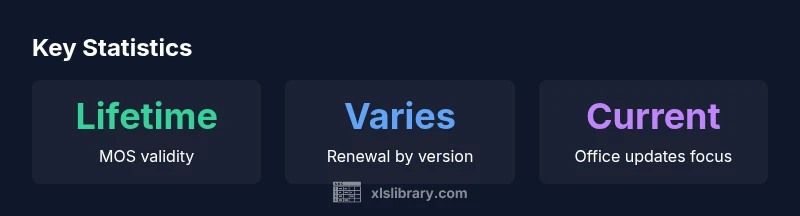
Policies around Excel credentials are not one-size-fits-all. Microsoft’s MOS certificates, for example, have historically been presented as lifetime credentials, with updates encouraged when new Office versions are released. In contrast, many third‑party platforms issue certificates or badges that do not expire in a strict sense, but some require periodic revalidation or offer upgraded credentials for newer course levels. Corporate programs may impose internal renewal schedules or continuing education requirements. The practical takeaway is clear: always verify the issuer’s official policy and keep track of any version-specific requirements that could affect your resume or LinkedIn profile.
Microsoft Office Specialist (MOS) and Office Certification Policies
For Excel-focused MOS credentials, the certificate itself does not typically expire in a formal sense. You won’t see a termination date on the certificate, and you wouldn’t automatically lose your credential. However, Microsoft emphasizes staying current with newer Office releases, and many employers prefer or require the latest version in practical hiring scenarios. The result is that while there is no universal expiry, the credential’s relevance depends on alignment with current tools in your workplace.
Renewal and Recertification: How It Works in Practice
Renewal is not a single event; it is an ongoing process for many certifications. Some programs offer renewal by passing an upgraded exam that covers the newest features, while others rely on continuing education credits or modular updates. The cost, cadence, and format differ by issuer. A pragmatic approach is to map your career trajectory to the Excel versions you expect to work with in the next 2–3 years and plan recertification accordingly. Even when a formal renewal isn’t required, earning newer versions or supplementary certifications demonstrates ongoing capability to managers and clients.
Third-Party Certs and Platform Courses
Non‑Microsoft certificates issued by platforms such as online courses or professional organizations often do not expire in the same sense as traditional exams. You’ll typically receive a digital badge or certificate that remains valid for the life of your professional profile, though some platforms offer refreshed certificates for newer course levels or require occasional revalidation. Always verify each platform’s policy and view a combination of MOS credentials plus ongoing coursework to showcase continuous growth and practical skill development.
How to Proactively Maintain Your Excel Credentials
- Align your certifications with the versions you actually use in your work. If you routinely handle Excel 365 features, prioritize those certs or updated versions.
- Set renewal reminders around major Office version releases or platform update cycles.
- Schedule regular learning: short courses, hands‑on projects, and real‑world problem solving to reinforce skills beyond the badge.
- Build a portfolio that demonstrates applied Excel skills—dashboards, data cleaning pipelines, and automated reports—so you can prove value beyond dates on a certificate.
- Display verifiable certificates and badges on professional profiles to ensure employers can confirm your credentials quickly.
Overview of common expiration policies for Excel certifications
| Provider/Cert Type | Expiration Policy | Notes |
|---|---|---|
| Microsoft Office Specialist (MOS) | Lifetime validity (no expiry) | Details may vary by version; renew by earning newer versions |
| Third-party Excel Certificates (platforms) | Typically no expiry | Depends on platform; badges may have updates for newer courses |
| Professional/Corporate credentials | Renewal required (varies) | Focus on recertification and continuing education |
People Also Ask
Do all Excel certifications expire?
No universal expiry exists across all Excel credentials. Policies depend on the issuing body and the version certified. Some credentials are effectively lifetime, while others may require renewal to stay relevant with newer Excel features.
There isn't a single expiry rule for Excel certificates; it varies by issuer and version.
Does Microsoft MOS expire?
MOS certifications generally do not expire in a traditional sense, but staying current with the latest Office versions is encouraged and often expected by employers.
MOS typically doesn’t expire, but updating to newer versions helps keep your resume current.
Do third-party Excel certificates expire?
Many third-party certificates do not have a fixed expiry, but platforms may require recertification or updates for newer course levels.
Platform certificates usually don’t expire, but check if updates are required for newer content.
How can I check if my certificate is still valid?
Log into the issuer’s portal to view status, expiration dates, or renewal reminders. Keep a copy of transcripts and badges for verification.
Log in to the issuer’s site to confirm status and keep transcripts handy.
Should I renew when a new Excel version is released?
If your role requires the latest features, pursuing renewal or a newer version can be beneficial. If not, assess cost against career goals.
Renew if your job needs the latest features; otherwise weigh the cost and benefit.
Do digital badges expire?
Some platforms issue badges with no fixed expiry, while others require recertification for continued recognition. Always verify platform terms.
Badges may never expire on some platforms, but recertification rules vary.
“Certification expiration policies are not uniform; the real value comes from verifiable, up-to-date skills and a track record of applying Excel in real-world tasks.”
The Essentials
- Check provider rules before you assume expiry.
- Policy varies; verify each credential’s terms.
- Prioritize current versions and practical skills.
- Keep digital transcripts and badges easily verifiable.
- Combine MOS with ongoing coursework for max impact.