Excel Classes for Adults: A Practical Mastery Path
Learn how to choose the best Excel classes for adults with practical criteria, pacing, and flexible formats that fit busy schedules. Follow a simple, action-oriented process to boost Excel skills for work and personal use in 2026.


Discover how to choose the right Excel classes for adults, from beginner to advanced, with a focus on practical, hands-on learning. This quick guide outlines criteria such as course level, format, pacing, and outcomes, plus a simple decision process to help you pick a program that fits your schedule, budget, and career goals.
What qualifies as an effective Excel class for adults
According to XLS Library, effective Excel classes for adults emphasize practical, hands-on learning and tangible outcomes. A strong course should move beyond drill-and-kill exercises and instead tackle real tasks you’ll face on the job or in daily life. Look for instructors who bring current industry examples, a clear progression from basics to advanced topics, and opportunities to apply skills on datasets that resemble your own work.
Key criteria include: 1) clear learning outcomes stated in the syllabus, 2) hands-on lab time with guided feedback, 3) a realistic pace with built-in practice assignments, 4) access to practice datasets, templates, and cheat sheets, 5) flexible formats that fit your schedule (evenings, weekends, or self-paced), and 6) a way to measure progress (quizzes, projects, or a capstone).
Core learning objectives you should expect
A quality course covers both fundamentals and practical tools. Expect goals such as building reliable worksheets, mastering formulas and functions (from SUM to XLOOKUP), validating data, and organizing information with tables and named ranges. You should also gain proficiency with pivot tables and charts for analytics, learn data cleaning basics, and understand how to connect Excel with external data sources using basic import techniques. Finally, a good class introduces keyboard shortcuts and best practices for documentation so you can reproduce results and share files with colleagues.
Formats to consider: in-person, online live, self-paced
- In-person classes offer real-time interaction, structured schedules, and hands-on labs but may require travel and fixed times.
- Online live sessions provide real-time coaching with flexibility and recordings for review, ideal for busy adults.
- Self-paced courses deliver maximum flexibility but demand strong self-discipline; look for clear milestones and built-in practice datasets to stay on track.
Formats to consider: in-person, online live, self-paced (continued)
When evaluating formats, match format to your learning style and schedule. If you learn best through collaboration, prioritize live sessions with fellow students. If you need to balance work, family, and study, a robust self-paced option with regular assessments can be ideal. Always confirm access to practice files, templates, and instructor feedback regardless of format.
How to assess course quality and outcomes
Review the syllabus for a logical progression from basics to advanced topics like data validation, pivot tables, and Power Query basics. Check instructor credentials and industry experience, sample project PDFs, and a portfolio of student work. Look for a clear rubric that defines success, such as passing quizzes, completing a dashboard project, or delivering a dataset-cleaning assignment. Favor courses that offer a capstone project you can showcase to employers.
Matching courses to your goals: career, academics, personal productivity
Before choosing, map your goals to specific topics. If you want to advance in data analysis, prioritize pivot tables, XLOOKUP, and data visualization. For administrative roles, focus on data cleaning, tables, and templates that speed up daily tasks. If you’re learning for personal productivity, ensure the course covers essential shortcuts, templates, and sharing/exporting capabilities that you’ll use regularly.
Practical examples: hands-on projects you should see
Look for real-world projects such as a budget tracker with dynamic charts, a dashboard that updates from a data table, or a data-cleaning workflow that handles duplicates, invalid entries, and inconsistent formats. Practice datasets should resemble your industry, such as sales records, inventory lists, or expense reports. A strong course assigns projects with feedback and a revision cycle to reinforce learning.
How to use XLS Library resources
XLS Library emphasizes practical, task-based learning. Use our templates, datasets, and guided labs to reinforce what you learn in class. Cross-check your progress with example solutions and participate in community challenges to apply skills in new contexts. Our materials are designed to accelerate retention and help you translate Excel knowledge into tangible results at work.
Common pitfalls and how to avoid them
Avoid courses that overpromise on advanced topics without ensuring you can master basics first. Don’t enroll in formats that don’t align with your schedule, and beware courses with vague outcomes or no sample projects. Start with a short commitment (e.g., a 4-week module) to test your fit, then scale up as you gain confidence.
Realistic pathways and next steps
Begin with a foundational module, then progress to intermediate topics like dashboards and Power Query. Build a personal learning plan with weekly milestones, and schedule regular practice sessions. Join study groups or office hours if available, and track your progress with a simple Excel project portfolio that you can share with potential employers in 2026.
Tools & Materials
- Computer or device with internet access(Stable connection; recommended 8 Mbps+ and a quiet workspace)
- Microsoft Excel (Office 365 or Excel 2019+)(Ensure you have access to modern features (Power Query, dynamic arrays))
- Headphones or quiet space for live sessions(Helpful for distraction-free learning)
- Notebook or note-taking app(Record rules, formulas, and cheat sheets)
- Practice datasets (provided by course or your own data)(Concrete data helps reinforce learning)
Steps
Estimated time: 4-6 weeks
- 1
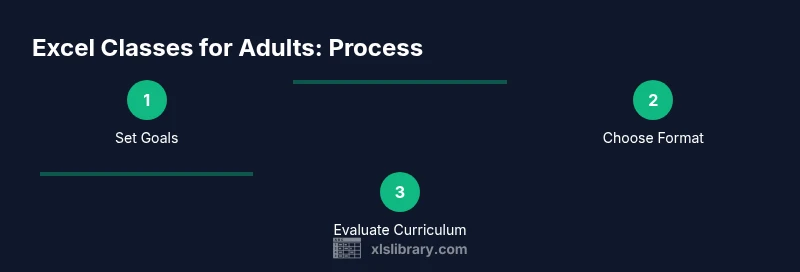
Define your learning goals
Identify why you want to learn Excel and which tasks you want to accomplish (e.g., data entry, budgeting, dashboards). Write 2-3 concrete objectives to guide your selection.
Tip: A precise goal helps you pick a course that delivers measurable outcomes. - 2
Audit your current skills
Take a quick self-assessment or a short diagnostic to determine your starting level. This prevents you from over- or under-learning.
Tip: Be honest about gaps; this saves time and money. - 3
Decide on a learning format
Choose among in-person, online live, or self-paced based on your schedule, discipline, and learning style.
Tip: If you’re new to online learning, a live course with recordings reduces risk. - 4
Review curricula and sample projects
Read the syllabus and examine sample projects to ensure coverage of essential topics like formulas, data cleaning, and pivot tables.
Tip: Prioritize courses with real-world datasets that mirror your work. - 5
Check time commitment and pacing
Estimate weekly hours and total duration. Ensure it fits your personal and professional responsibilities.
Tip: Block recurring study time to build consistency. - 6
Try a trial or demo lesson
If available, attend a trial lesson or watch a sample module to gauge teaching style and pacing.
Tip: Use the first 15 minutes to evaluate clarity of explanations and hands-on support. - 7
Create a learning plan with milestones
Draft a plan that includes weekly tasks, practice sessions, and a capstone project to demonstrate progress.
Tip: A plan keeps you accountable and provides a clear path forward.
People Also Ask
What format is best for beginners?
For beginners, online live or in-person classrooms with guided labs are ideal. They provide real-time feedback and structured pacing, plus opportunities to ask questions as you practice.
For beginners, choose live sessions or in-person classes with guided labs so you can ask questions while you practice.
How long does a typical Excel class take?
Most beginner to intermediate courses run several weeks, with weekly sessions and additional practice. Check the syllabus for exact duration and milestones.
Most courses span a few weeks with weekly sessions; always check the exact duration in the syllabus.
Do I need prior Excel knowledge before starting?
No prior knowledge is typically required for beginner courses. Intermediate and advanced tracks assume foundational skills like basic formulas and formatting.
Most beginner tracks don’t require any prior knowledge; you’ll build foundations first.
Are there free options available?
Yes, many providers offer free introductory modules or trial lessons. For deeper mastery, paid courses with hands-on projects tend to deliver stronger results.
There are free trials, but for solid mastery you’ll likely want a paid course with projects.
How can I measure progress during a course?
Look for regular assessments, practical projects, and a final capstone. Tracking completed tasks in a portfolio is also a strong indicator of growth.
Expect quizzes, projects, and a capstone to show your progress.
Do certificates matter to employers?
Certificates can validate your commitment and skills, especially for roles that list Excel proficiency as a requirement. Pair certificates with a portfolio of real-world projects.
A certificate helps show employers you completed the course, especially when paired with a project portfolio.
Watch Video
The Essentials
- Define concrete goals before selecting a course.
- Prioritize hands-on projects over theory alone.
- Choose a format that fits your schedule and learning style.
- Assess curriculum quality with real-world datasets.
- Build a practical workbook to showcase progress.