Microsoft Excel Class Online: A Practical How-To Guide
Learn to choose, enroll in, and maximize an online Microsoft Excel class. Practical steps, real-world projects, and trusted XLS Library insights to build real-world Excel skills.


By enrolling in an online Microsoft Excel class, you gain structured lessons from fundamentals to advanced techniques and apply them to real-world datasets. This guide helps you evaluate programs, select the right format, enroll, and start hands-on practice with guided projects. You’ll emerge with practical skills and a clear learning path.
Why online Microsoft Excel class fits modern learning
Learning Excel online aligns with busy professional schedules and remote work trends. An online class provides structured lessons, real-world datasets, and interactive feedback that help you retain concepts more effectively than ad-hoc tutorials. According to XLS Library, learners who choose a guided online path often see clearer progress and more consistent practice than self-study alone. This approach is equally valuable for beginners building a foundation and for analysts seeking to expand into data analysis, dashboards, and automation.
In practice, an online Excel class delivers a curriculum designed around practical outcomes: building reliable spreadsheets, using formulas to automate tasks, cleaning data for accuracy, and presenting insights through dashboards. The emphasis is on applying skills to real-world problems rather than memorizing functions. A good course will offer hands-on projects, feedback from instructors, and access to practice datasets that mirror workplace scenarios.
How online Excel classes are structured
Most programs follow a modular design: core topics, practical labs, weekly quizzes, and a capstone project. Core topics typically include data entry, formatting, formulas and functions (including VLOOKUP, INDEX/MATCH, and the newer XLOOKUP), charts and dashboards, and basic data cleaning. Practical labs give you datasets to manipulate with step-by-step guidance. Assessments test your ability to apply skills to realistic problems. Many programs blend video lessons with guided exercises, quizzes for knowledge checks, and a final project to demonstrate applied mastery. When you see a course with a capstone, you’ll likely walk away with a portfolio piece you can share with employers.
How to evaluate online programs
- Define your goals: do you want basics, data analysis, or pivot tables?
- Check the instructor experience and course length: longer programs may cover deeper topics.
- Review project requirements: ensure you’ll complete real-world tasks.
- Read student reviews and completion rates: help gauge effectiveness.
- Compare pricing and format: self-paced vs cohort, live Q&A, and asynchronous lectures.
- Confirm credential outcomes: certificate type and potential for credit.
When you can answer these questions, you’ll be ready to shortlist options. Look for programs that emphasize practical projects, timely feedback, and accessible datasets to maximize learning transfer.
Formats and pacing: self-paced vs guided
Self-paced courses offer flexibility but require discipline to keep moving. Guided or cohort-based classes provide structured calendars, scheduled feedback, and peer collaboration that can improve motivation and accountability. For Excel, look for courses that combine video lessons with hands-on labs and access to instructor help. If you’re working toward certification, a cohort format can help you stay on track. Budget your time, and choose a format that aligns with your learning habits and career timeline.
Hands-on practice strategies
- Practice with authentic datasets: sales records, customer data, or inventory lists.
- Recreate business reports: build a dashboard that answers a real question.
- Schedule regular practice blocks: 2-3 sessions per week, 60 minutes each.
- Annotate your work: note formulas, reasons for choices, and observed errors.
- Use keyboard shortcuts actively to speed up workflow.
Notes: Many online courses include practice files; supplement with your own sample projects to reinforce concepts. The goal is to move from passive watching to deliberate practice that yields transferable skills.
Building a learning plan that sticks
- Week 1: fundamentals (navigation, data types, basic formulas).
- Week 2: intermediate functions (IF, VLOOKUP, HLOOKUP, XLOOKUP).
- Week 3: data cleaning and validation.
- Week 4: charts and dashboards; basic PivotTables.
- Week 5-6: capstone project; combine everything into a live dataset.
Set up a weekly calendar, turn on reminders, and track progress with a simple checklist. Use a dedicated notebook or digital notes to summarize formulas and logic.
Certification and career impact
An online Excel certificate can validate your skills to employers and clients, especially when paired with a portfolio of real projects. Identify programs that offer verifiable credentials and shareable digital badges. Even without a formal certificate, completing hands-on labs and a capstone project demonstrates capability. Consider how you’ll showcase projects on a resume or LinkedIn.
Common pitfalls and how to avoid them
- Failing to define goals: you’ll drift without concrete outcomes.
- Skipping hands-on practice: Excel mastery comes from doing, not watching.
- Ignoring data quality: bad data leads to misleading results.
- Choosing the cheapest option: quality matters for practical skills.
- Not budgeting time: set a realistic study schedule and honor it.
Tools & Materials
- Computer or laptop with internet access(Stable connection; broadband recommended (at least 5 Mbps).)
- Microsoft Excel license or access to Office 365(Recent version (Desktop or Online) with latest features.)
- Email account for enrollment(Primary address; enable notifications from courses.)
- Notetaking tool (digital or paper)(Capture formulas, shortcuts, and decisions.)
- Practice datasets (provided or self-created)(Use diverse data (sales, inventory, employees) to test skills.)
- Headphones or quiet workspace(Helpful for video lectures and minimizing distractions.)
Steps
Estimated time: 4-6 weeks
- 1
Define learning goals
Clarify which Excel skills you need (formulas, data cleaning, dashboards) and the job outcomes you expect. Write measurable targets and a rough timeline to guide your search.
Tip: Document 3 concrete outcomes you want to achieve in 30 days. - 2
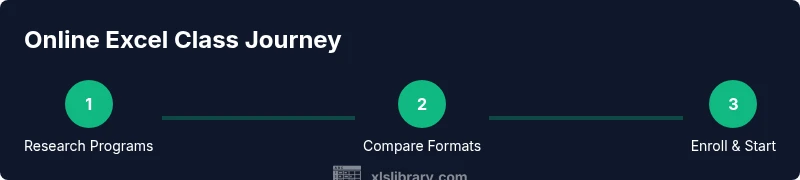
Research programs
Identify courses that align with your goals. Check syllabi, instructor bios, and whether real-world projects are included. Look for datasets similar to your field.
Tip: Create a shortlist of 3-5 programs to compare side-by-side. - 3
Compare formats and pacing
Decide between self-paced, cohort, or hybrid models. Consider your schedule, need for feedback, and how quickly you want to complete the course.
Tip: If you benefit from accountability, favor a cohort format. - 4
Check outcomes and reviews
Read student reviews and verify completion rates. Examine sample projects to judge applied skill development.
Tip: Prioritize programs with a visible capstone or portfolio piece. - 5
Review pricing and access
Compare subscription models, one-time payments, and what software access is included. Watch for hidden fees.
Tip: Map cost to duration and the number of hands-on projects. - 6
Audit free previews
Take advantage of free demos or trial lessons to gauge teaching style and pacing before committing.
Tip: Assess clarity of explanations and the usefulness of exercise files. - 7
Enroll and set up
Create your account, verify access to Excel, and configure notifications. Prepare a workspace that minimizes distractions.
Tip: Join any student forums or study groups offered by the course. - 8
Plan your study schedule
Block time weekly for lectures, labs, and reviews. Track progress with a checklist and adjust as needed.
Tip: Treat this like a 4-6 week project with defined milestones.
People Also Ask
What is the typical duration of an online Excel class?
Online Excel classes vary; many run 4-8 weeks with weekly modules and a capstone project. Some self-paced courses extend longer, depending on workload and pacing.
Most online Excel classes run a few weeks with weekly modules and a final project; the pace can be self-directed or structured.
Do online Excel classes offer certificates?
Many programs provide a certificate of completion or digital badge. Confirm credential details and whether the certificate is verifiable for employers before enrolling.
Many courses offer a certificate or badge; check verifiability and how it’s displayed on resumes or LinkedIn.
Is self-paced better than instructor-led for Excel?
Self-paced works well for busy schedules, but instructor-led formats provide structured progression and direct feedback, which can improve learning outcomes for complex topics.
Self-paced is flexible, but instructor-led formats often help you stay on track with feedback and accountability.
What topics are typically covered in online Excel courses?
Expect coverage of formulas, data cleaning, charts and dashboards, PivotTables, data validation, and common functions like VLOOKUP/XLOOKUP, along with practical projects.
You’ll usually cover formulas, data cleaning, charts, PivotTables, and functions like XLOOKUP with hands-on projects.
How should I evaluate a course’s credibility?
Evaluate instructor qualifications, syllabus depth, real-world projects, and student outcomes. Look for transparent reviews and a credible certification path.
Check the instructor experience, course depth, and proof of outcomes before enrolling.
What if I already know some Excel basics?
Seek intermediate or advanced tracks that cover data analysis, automation with macros, or Power Query to extend your skills beyond basics.
If you’re past basics, pick courses that focus on data analysis, dashboards, and automation.
Will these courses help with Excel certifications?
Yes, many programs align with certification goals and provide project-based evidence of capability, which strengthens your resume.
They can support certification goals when the course emphasizes practical labs and a portfolio.
Can I access course materials after completion?
Most programs offer continued access to lecture videos, slides, and labs for a period after completion, but check the policy before enrolling.
Access length varies; verify post-course access so you can review materials when needed.
Watch Video
The Essentials
- Define clear learning goals before you start.
- Choose formats with hands-on labs and feedback.
- Practice with real datasets to build a portfolio.
- Track progress and adjust your plan weekly.