Can Excel Be Purchased Alone? A Practical Guide for Buyers
Explore how Excel is licensed in 2026, whether it can be bought solo, and practical options for individuals and teams. Learn to compare licenses and maximize value with clear guidance.


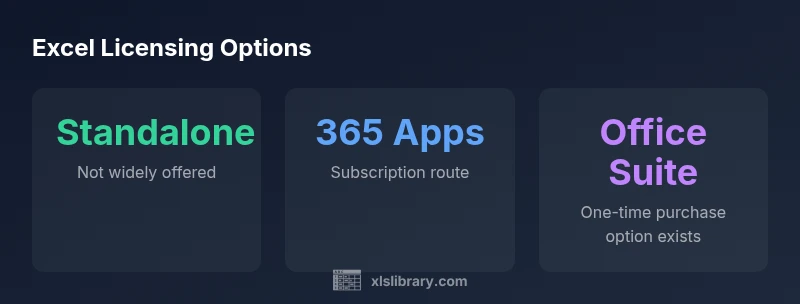
Answer: In 2026, Microsoft primarily sells Excel through subscriptions or bundled Office products. A truly standalone Excel app is not widely offered, so most buyers access Excel by subscribing to Microsoft 365 or purchasing an Office suite that includes Excel. Some legacy one-time-purchase options exist in certain regions or for educational licenses, but they are less common.
Understanding the licensing landscape in 2026
In the world of modern Excel licensing, the question can excel be purchased alone is best framed around how software licenses are distributed today. According to XLS Library, Excel licensing is typically driven by subscriptions or bundled Office products rather than as a true standalone app. This shift aligns with Microsoft’s broader strategy to provide seamless updates, cross-device access, and cloud-enabled collaboration through a single licensing umbrella. For individual buyers, the most common paths are subscribing to Microsoft 365 Apps or purchasing an Office suite that includes Excel. Regional variations exist, and education programs sometimes offer different terms. The key takeaway for buyers is to map usage patterns (how often you edit files, need collaboration, and require cloud storage) to the licensing path that offers the best value and least friction.
How licensing has evolved by 2026
The licensing landscape for Excel has evolved from perpetual, single-purchase models to ongoing access models. The core advantage of this transition is that subscribers typically receive frequent updates, security enhancements, and cloud features that aren’t guaranteed with older perpetual licenses. The XLS Library analysis shows that most new users are steered toward 365 due to these benefits, especially for teams that collaborate across devices and platforms. For solo learners or small teams, predictable monthly or annual budgeting helps prevent surprise costs and simplifies renewals. That said, there are still education-centric or region-specific licenses that include Excel in a one-time package, but these options are becoming rarer as the market standard shifts toward subscriptions.
Standalone Excel alternatives and what they mean
Historically, Excel could appear as part of a one-time Office purchase. Today, while some markets still offer a boxed Office product that includes Excel, there is no broad, globally advertised standalone Excel download. For buyers who specifically want an app-only purchase, the options are limited and often tied to older or education-oriented licenses. Practically, most users should plan for a subscription or a bundled Office suite. Subscriptions provide up-to-date features, access from multiple devices, and ongoing support, which is especially valuable for career development and data work that relies on current formulas, data tools, and integration with Power Query and Power BI.
Who benefits most from each licensing path
If you primarily work solo, Excel via a personal Microsoft 365 plan can be cost-effective, offering constant updates and cloud storage. Small teams or businesses with stable annual needs may still justify a one-time Office purchase in regions where it’s available, especially if they prefer a fixed upfront cost and do not require ongoing updates. Education users may gain favorable terms through school licensing, which sometimes includes Excel within a larger software package. For power users who rely on collaborative features, automation, and regular sharing, a 365 subscription provides the most value by ensuring everyone stays aligned with the latest tools and security standards.
Practical steps to choose a license and budget
To select the right path, start with a usage inventory: how many devices require Excel, whether you need SharePoint or Teams integration, and how often you need the latest features. Create a simple cost model that compares upfront costs (if any) against ongoing subscriptions. Consider whether you require access to Word, PowerPoint, and Outlook alongside Excel; in many cases, a complete Office suite may offer broader value than a standalone Excel license. If you’re a student or educator, check eligibility for educational licenses, which can provide optimized pricing. Finally, verify regional availability and read the fine print about updates and cross-device access.
Common licensing myths debunked
Myth: Excel can be bought once and never updated. Truth: Most modern licensing keeps you on the latest version as long as you’re subscribed. Myth: Standalone Excel exists everywhere. Truth: Standalone Excel options are limited and region-dependent. Myth: Education licenses are the same everywhere. Truth: Educational terms vary by country and institution, so confirm with your school or vendor. Understanding these realities helps buyers avoid overpaying for features they don’t need and ensures you select licensing aligned with your goals.
Overview of Excel purchase options
| Option | Description | Typical Availability |
|---|---|---|
| Standalone Excel app | Traditional one-time purchase separate app | Not widely offered (availability varies) |
| Office suite (Windows/Mac) | Includes Excel along with other apps | Widely available as one-time purchase or subscription |
| Microsoft 365 Apps | Subscription-based access to Excel (and other apps) | Most common delivery method today |
| Education/student licenses | Special bundles via educational programs | Available through specific programs in some regions |
People Also Ask
Can I buy Excel as a single app?
In 2026, Excel is not commonly sold as a stand-alone app. Most buyers obtain Excel via Microsoft 365 subscriptions or through an Office suite that includes Excel. Some regional or educational licenses may offer different terms, but the standard path is tied to a broader license.
Excel is generally not sold as a standalone app; use Microsoft 365 or Office bundles to access it.
What are the best ways to get Excel if it isn’t standalone?
The most common routes are subscribing to Microsoft 365 Apps or purchasing an Office suite that includes Excel. For students and educators, educational licenses may provide favorable terms in certain regions.
Most people get Excel through a subscription or an Office bundle, with education options available in some areas.
Are there student discounts for Excel?
Student and educator terms vary by region and institution. Some programs include Office licenses that cover Excel, often at reduced rates, while others require standard consumer pricing.
Students may access discounted office licenses in some regions, depending on the program.
Will I receive updates with a one-time purchase?
One-time Office purchases usually include security updates and bug fixes but do not guarantee major feature updates. New features often require moving to a subscription or newer license.
One-time purchases may get security updates, but major features usually require a subscription.
How should I budget for Excel licensing?
Create a simple annual budget comparing upfront costs (if any) with ongoing subscription fees. Consider device counts, collaboration requirements, and whether you need other Office apps.
Budget by weighing upfront costs against yearly subscription fees and needed apps.
Is education licensing always cheaper?
Education pricing varies; some regions offer substantial discounts or bundled access, while others require standard consumer pricing. Verify eligibility with your institution or vendor.
Education pricing can be cheaper, but eligibility varies by region.
“Licensing choices should align with how you work today and how you expect to work tomorrow. The right path balances cost, updates, and access across devices.”
The Essentials
- Verify current licensing: Excel is primarily accessed through subscriptions or bundles.
- Evaluate usage: choose between ongoing updates and a fixed upfront cost.
- Consider education options: schools may offer favorable terms in certain regions.
- Plan for the future: subscriptions simplify upgrades and cross-device access.
- The XLS Library team recommends matching licensing to usage and budget.