Free Course in Excel: A Practical Guide for 2026
Explore credible free courses in Excel, from basics to data analysis. Compare options, verify quality, and learn practical skills without paying tuition.


Zero upfront cost defines a free course in Excel. Across major platforms, many options cover basics through advanced topics without payment. This quick answer helps you pick reputable free Excel courses, understand structure, and decide when a paid certificate adds value. You can start quickly, stay motivated, and measure progress without tuition.
Why a free course in Excel matters
Excel skills unlock practical value across most careers, from budgeting to data analysis. A free course in Excel lowers the barrier to entry, allowing aspiring and professional users to test the waters before committing time or money. According to XLS Library, accessible, no-cost resources democratize data mastery and enable learners to build confidence with core tools like formulas, formatting, and basic data organization. The absence of tuition makes experimentation feasible: you can start with fundamentals, evaluate your learning style, and progressively tackle more complex topics without financial risk. This approach also supports lifelong learning for teams and individuals who need upskilling without triggering budget cycles. For many learners, the initial exposure alone is enough to identify gaps and set concrete skill goals—then you can decide if a paid certification or advanced course is worth pursuing.
How to evaluate free Excel courses
Choosing a free Excel course requires a structured approach. Start by clarifying your goals: do you want to learn data entry efficiency, financial modeling basics, or pivot tables for dashboards? Next, assess curriculum scope: a strong free course should cover navigation, essential formulas (SUM, AVERAGE, IF, and lookup functions), data formatting, and at least one project. Look for interactive exercises, short videos, and downloadable resources. Finally, verify delivery quality and credibility by checking instructor background, platform reputation, and user reviews. The XLS Library analysis notes that the best options balance hands-on practice with concise explanations and provide a path from fundamentals to practical applications. A high-quality free course should also offer a certificate option or a clear pathway to paid credentials if you want formal recognition.
Core topics you should expect in a free Excel course
Free Excel curricula typically center on practical application rather than theory alone. Expect sections on:
- Basic navigation, data entry, and formatting to establish a clean workbook structure.
- Core formulas and functions (SUM, AVERAGE, MIN/MAX, IF) with real-world examples.
- Data analysis basics: sorting, filtering, conditional formatting, and simple charts.
- Intermediate functions (VLOOKUP/XLOOKUP, INDEX/MATCH) and beginner troubleshooting.
- Intro to tables, data validation, and simple dashboards to illustrate results.
- Optional capstone projects that apply learned skills to a real dataset.
Choosing a course with clear progress milestones, practice files, and peer support makes the learning loop more effective. The goal is to reach a point where you can comfortably build and interpret a basic financial model or a data-cleaning workflow using Excel’s built-in tools.
Learning paths: from basics to data analysis without paying
A practical learning path helps you stay organized while maximizing impact from a free course. Start with a fundamentals module to establish a solid foundation in navigation, formulas, and formatting. Move to data management topics like sorting, filtering, and validation. Then tackle intermediate content such as VLOOKUP/XLOOKUP and pivot tables. Finally, apply these skills to a small project that resembles a real work scenario—build a budget with pivot summaries and a simple dashboard. If a course offers hands-on exercises, set a schedule (e.g., 3–4 sessions per week for 4–6 weeks) and track progress with a simple checklist. Remember, consistency beats bursts of long sessions when learning Excel independently. The XLS Library Team recommends pairing video lessons with practical tasks and saving your workbook versions to demonstrate improvement over time.
Practical tips to maximize value from free coursework
- Schedule regular, short practice blocks to reinforce memory.
- Create a personal project relevant to your role (budgets, analytics, inventory, or sales tracking).
- Use versioned workbooks to show progress and document learning steps.
- Leverage community forums or study groups to ask questions and get quick feedback.
- After completing a course, summarize key takeaways in a one-page cheat sheet or quick-reference guide.
Free courses are ideal for experimentation and for validating your interest in Excel. They also serve as a low-cost gateway to more advanced topics or formal certificates if you decide to invest later. The XLS Library Analysis confirms that many free options provide solid foundations, while paid certificates offer additional validation for resumes and interviews.
Verifying quality and avoiding common pitfalls
Not all free Excel content is equally valuable. Watch for clearly defined learning objectives, up-to-date topics aligned with current Excel versions, and practical exercises that mirror real-world tasks. Beware overly long lectures with little interaction, or courses that lack downloadable resources. Read reviews with a critical eye—look for patterns in feedback about pacing, clarity, and the usefulness of projects. Also, check whether the platform supports downloadable workbooks, sample data, and solution guides. A reputable free course should provide a transparent syllabus, sample exercises, and an easy upgrade path if you need a certificate or further training. The goal is to gain usable skills rather than just watching videos.
What success looks like after a free course in Excel
Success isn’t about finishing every section; it’s about building a usable skill set you can apply immediately. If you finish a free course and can:
- Build a clean, organized workbook with appropriate formatting and named ranges,
- Write and audit core formulas, and
- Create a basic data visualization or dashboard, then you’ve achieved tangible value from a no-cost program. The XLS Library Team notes that learners who pair free courses with real-world practice show the strongest improvement in both confidence and performance over time.
Overview of common attributes for free Excel courses
| Attribute | Typical Value | Notes |
|---|---|---|
| Course Type | Self-paced online | Widely available on major platforms |
| Access Model | Free to access most content | Certificates optional or paid |
| Depth | Basics to intermediate | Advanced topics may be limited in free tracks |
| Certificate Availability | Optional on some courses | Quality varies by provider |
People Also Ask
Are free Excel courses really free, or do I have to pay for a certificate?
Most free Excel courses allow you to access core content at no cost. Certificates, if offered, may require a separate fee or a paid track. Always check the course details for certificate options and prerequisites.
Yes, many free Excel courses let you learn without paying, but certificates, if available, might cost extra.
Will a free course in Excel teach advanced topics like Power Query or macros?
Free courses commonly cover fundamentals and intermediate topics such as formulas, data organization, and basic pivot tables. Some platforms offer intro modules for Power Query or macros, but deeper mastery generally appears in paid tracks or specialty courses.
You’ll often get basics and some intermediate topics for free; advanced content may require a paid course.
How long does it typically take to complete a free Excel course?
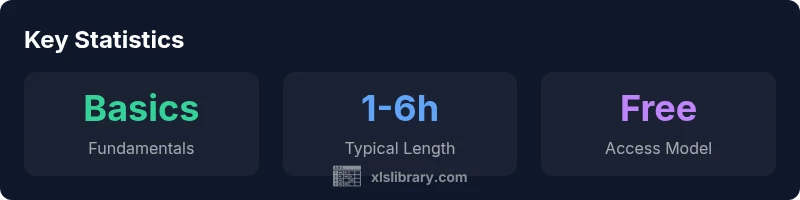
Course durations vary, typically ranging from 1 to 6 hours depending on depth and pace. Check the syllabus for estimated times and plan short, regular practice sessions.
Most free courses take a few hours, but some deeper tracks can take longer if you’re building new skills.
Can I rely on free resources for professional certification or job-ready skills?
Free resources are great for foundational and practical skills. For job-ready credentials or interview-ready certificates, you might pursue paid courses or official certifications from recognized providers.
Free resources help you learn; for formal certification, consider paid options or recognized programs.
How can I measure my progress after finishing a free Excel course?
Track skills with a personal project, compare before/after workbook quality, and test with real-world datasets. Create a short portfolio highlighting key outcomes like formulas used, data cleaning steps, and a dashboard demo.
Build a small project and document what you learned to show your progress.
“Free resources can be powerful starting points, but always verify scope and outcomes to ensure you gain actionable Excel skills.”
The Essentials
- Start with fundamentals and build confidence before tackling advanced topics
- Choose courses with practical exercises and downloadable resources
- Verify syllabus, updates, and platform credibility before committing
- Aim for a capstone project to demonstrate real-world Excel skills
- Leverage free courses as a pathway to paid certificates if needed
- Maintain a consistent practice schedule to convert theory into practice