Numbers vs Excel: How Good Is Numbers Compared to Excel
A detailed, analytical comparison of Numbers and Excel, highlighting strengths, limits, and best-use scenarios for professionals and students seeking practical guidance.


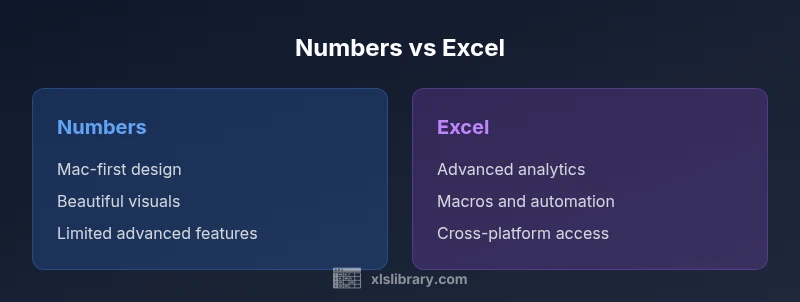
How good is Numbers compared to Excel? In brief, Excel remains stronger for advanced analytics, macros, and large data models, while Numbers scores high on simplicity, design, and Apple ecosystem integration. For teams needing portability and automation, Excel is the safer choice, but for personal use or light collaboration on macOS, Numbers can be perfectly adequate. According to XLS Library, choose based on workflow and collaboration needs.
The framing of the Numbers vs Excel debate
How good is Numbers compared to Excel depends largely on what you intend to do with the spreadsheet tool. This section sets the stage by contrasting the core design philosophies: Numbers emphasizes clean visuals, simplicity, and a seamless Apple ecosystem, while Excel emphasizes breadth of features, automation, and enterprise-scale data handling. The question is not which one is universally better, but which tool best fits your typical tasks, data size, and collaboration needs. For many users, the answer evolves with their workflow: single-device use, cross-device syncing, or multi-user collaboration across a team. Throughout this guide, you’ll see concrete scenarios and practical criteria you can apply, including how the two handle formulas, charts, and data sharing. The lens through which we evaluate these tools is practical work output, not just feature lists.
The framing of the Numbers vs Excel debate
How good is Numbers compared to Excel depends largely on what you intend to do with the spreadsheet tool. This section sets the stage by contrasting the core design philosophies: Numbers emphasizes clean visuals, simplicity, and a seamless Apple ecosystem, while Excel emphasizes breadth of features, automation, and enterprise-scale data handling. The question is not which one is universally better, but which tool best fits your typical tasks, data size, and collaboration needs. For many users, the answer evolves with their workflow: single-device use, cross-device syncing, or multi-user collaboration across a team. Throughout this guide, you’ll see concrete scenarios and practical criteria you can apply, including how the two handle formulas, charts, and data sharing. The lens through which we evaluate these tools is practical work output, not just feature lists.
How this article uses scope and definitions
To avoid ambiguity, we separate general usability from advanced analytics. Numbers offers a tightly integrated design experience with straightforward data entry and visual storytelling. Excel concentrates on formula depth, data modeling, and automation. By separating strengths, limits, and ideal use cases, we provide a decision framework you can apply in real projects. We also address common migration questions—how to move data between platforms without losing critical structure or formulas—and what trade-offs to expect in charts, pivot capabilities, and collaboration workflows.
How this article uses scope and definitions
This article uses practical benchmarks: the breadth of formulas, charting flexibility, automation features, data size handling, and cross-platform collaboration. We also consider file compatibility, export options, and learning curves. When you ask how good is Numbers compared to Excel, you’re really asking about the boundary between usability and power. The answer is nuanced and depends on your data tasks, team dynamics, and device ecosystem. The remaining sections provide a structured comparison, with a clear verdict for different scenarios.
How this article uses scope and definitions (continuation)
As you read, look for concrete decision criteria you can apply immediately: do you need advanced analytics or simple budgeting? Is cross-platform collaboration essential, or will a macOS/iOS-centric workflow suffice? The goal is to help you map your typical tasks to the tool that minimizes friction and maximizes output. In the end, the best choice may be to use both tools for different parts of a project, leveraging each tool’s strengths where it matters most. How good is Numbers compared to Excel? The answer depends on your context, not a single feature check.
How this article uses scope and definitions (conclusion)
By defining scope clearly, we avoid over-promising capabilities. Numbers shines in design-driven tasks and fast iteration on macOS, while Excel remains the benchmark for deep analytics, automation, and enterprise workflows. This approach helps you weigh trade-offs realistically and select the tool that aligns with your data strategy. The next sections dive into concrete strengths, scenarios, and migration considerations to support your decision.
Comparison
| Feature | Numbers | Excel |
|---|---|---|
| Cross-platform availability | Best on macOS/iOS | Windows, macOS, online |
| Formula language and functions | Numbers-specific formulas with a curated set | Extensive function library including complex arrays and data modeling |
| Pivot tables and data modeling | Limited to no native pivot tables | Full pivot table support with advanced data modeling |
| Automation and macros | No native macros; automation via AppleScript/Automator workarounds | Robust macros via VBA with broad automation ecosystem |
| Charts and visuals | Excellent templates and aesthetics for storytelling | Wide range of chart types with advanced customization |
| Collaboration | iCloud-based collaboration within Apple ecosystem | Cross-platform collaboration via Microsoft 365/OneDrive |
| Learning curve | Short, intuitive for casual users | Steeper for power users but highly capable |
| Pricing model | Typically bundled with Apple devices or affordable for light use | Subscription-based with Office 365/Microsoft 365 |
| File compatibility | Exports to Excel/PDF; native format is .numbers | Native Excel formats; strong interoperability |
Benefits
- Seamless Apple ecosystem integration and iCloud syncing
- Intuitive, visually appealing interface for quick wins
- Cost-effective for individuals and small teams using macOS/iOS
- Excellent templates for budgeting and simple analyses
- Strong storytelling capabilities through charts and layouts
What's Bad
- Limited advanced analytics, data modeling, and automation
- Fewer third-party add-ins and enterprise features than Excel
- Coordinating cross-platform teams can be less smooth on Numbers
- Migration friction when moving large sheets to Excel
Excel dominates for advanced tasks; Numbers is ideal for macOS-friendly, design-focused work
Choose Excel for large datasets, automation, and complex modeling. Choose Numbers for simple, polished spreadsheets on Apple devices and fast, collaborative work within the Apple ecosystem.
People Also Ask
Can Numbers open Excel files without losing formatting?
Numbers can import Excel files, but complex formulas, macros, and some formatting may not translate perfectly. expect minor adjustments after import.
Numbers can open Excel files, but expect some formatting and formula tweaks after import.
Does Numbers support macros or scripting?
Numbers does not support VBA macros. You can automate tasks through AppleScript, Automator, or manual shortcuts, but it is less automation-heavy than Excel.
Numbers has limited automation options compared with Excel’s macros.
Which is easier to learn for beginners?
Numbers generally offers a gentler learning curve due to its simplified interface. Excel has more features to learn, which can take longer but pays off with power.
Numbers is easier to pick up; Excel rewards persistence with deeper features.
Can I migrate projects from Numbers to Excel smoothly?
Migration is often straightforward for basic sheets, but you may need to redo complex formulas or layouts. Export to Excel format and review rules for consistency.
Export from Numbers to Excel and check formulas and formats afterward.
Which tool is better for data visualization and dashboards?
Excel offers more robust charting options and dashboard capabilities, while Numbers provides clean visuals suitable for lightweight dashboards on Apple devices.
Excel leads in dashboards; Numbers is great for simple visuals on a Mac.
Is collaboration better in Numbers or Excel?
Numbers shines in Apple-native collaboration through iCloud, whereas Excel excels for cross-platform teams using SharePoint or OneDrive.
Collaboration depends on your ecosystem: iCloud for Numbers, Microsoft 365 for Excel.
The Essentials
- Assess data size and automation needs before choosing
- Use Numbers for design-centric reporting on macOS/iOS
- Leverage Excel when cross-platform sharing and advanced analytics matter
- Plan migration steps if you expect future cross-compatibility