Is Excel and Word Included in Windows 11? A Practical Guide
Explore whether Windows 11 includes Excel and Word, licensing paths, and practical options for accessing Office apps. Learn how to obtain, install, and manage Office on Windows 11 with practical licensing guidance from XLS Library.


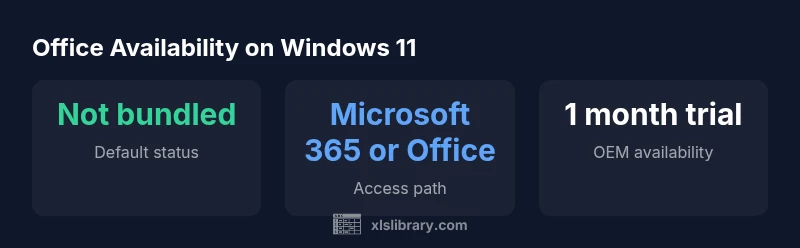
Short answer: Windows 11 does not include Excel and Word by default. You’ll typically access both apps through Microsoft 365 or a standalone Office purchase. Some devices may ship with a trial or preinstalled access links, and you can install via the Microsoft Store or Office.com. Availability and licensing vary by region and device.
Is Excel and Word Included in Windows 11: An Overview
According to XLS Library, is excel and word included in windows 11? The short answer is: not by default. Windows 11 ships with the operating system and core components, but it does not bundle the full Microsoft Office suite. The flagship Office apps, Excel and Word, are proprietary software distributed through licensing channels such as Microsoft 365 subscriptions or standalone Office purchases. In practice, most users access them by purchasing a license or subscribing to Microsoft 365, then downloading the apps from the Microsoft Store or Office.com. Some new devices may include a trial or preinstalled access links, but these are typically time-limited or region-dependent. Throughout this article we’ll explore the licensing landscape, how to obtain the apps, and practical considerations for individuals and teams.
How Windows 11 Handles Office Apps: Editions and Licensing
Windows 11 does not ship with Excel or Word installed as part of the base OS. Instead, Office apps are delivered through licensing channels that include Microsoft 365 subscriptions, standalone Office purchases (Office Home & Student), and occasional OEM incentives or trials. The XLS Library analysis shows that licensing flexibility is a key driver for users: you can pay monthly or yearly, choose between Personal or Family plans, or purchase a one-time license for specific devices. Region, device type, and business needs all shape what option is best. In practice, the decision often hinges on whether you want offline access, cloud collaboration, or both.
How to Access Excel and Word on Windows 11
There are several legitimate paths to obtain Excel and Word on Windows 11. For most individuals, subscribing to Microsoft 365 is the simplest route, as it includes ongoing updates, cloud storage, and access to both desktop and mobile apps. If you prefer not to subscribe, you can purchase Office as a one-time license (Office Home & Student). Some devices also ship with a time-limited trial or preinstalled access; these trials vary by vendor and may require activation. After acquiring a license, you install the apps from the Microsoft Store or Office.com and sign in with your Microsoft account to unlock full features.
Licensing options and pricing ranges you should know
Pricing for Office apps varies widely by plan and geography, but you can think in terms of broad ranges rather than exact numbers. Consumer plans typically fall in the rough range of $60–150 per year for Microsoft 365, with a Family plan often higher than Personal. A one-time Office purchase (Office Home & Student) generally lands in a similar ballpark for a single device, though some bundles or regional promotions can shift the price. Business plans add per-user monthly options starting around a few dollars per user per month, scaling based on storage, collaboration features, and admin controls. Always verify current offers with the publisher and your device vendor, as promotions and regional licensing differ.
Installation steps and setup on Windows 11
Once you’ve decided on a licensing path, getting Excel and Word onto Windows 11 is straightforward. If you have a Microsoft 365 subscription, download the Office apps from the Microsoft Store or Office.com, then sign in with the license account to activate. For a one-time Office purchase, run the installer from the Office website or the Microsoft Store if you received a digital download. The setup wizard will guide you through language, installation location, and initial sign-in. After installation, you can pin the apps to your taskbar, configure auto-update preferences, and connect to your cloud account for seamless cross-device access.
Regional and device variations you should expect
Availability and packaging vary by device and region. Some PCs ship with a 1-month trial of Microsoft 365 or preinstalled links to Office.com; others rely entirely on a separate purchase. In some markets, the Word and Excel desktop apps are more tightly integrated with the Office Online ecosystem, while in others the offline desktop suite remains the default. If you work on a corporate device, your IT department may enforce specific licensing channels, cloud storage agreements, and security configurations. Always check the terms on your device and confirm country-specific rules before purchasing.
Free and low-cost alternatives to consider
If licensing isn’t feasible right now, there are free options that cover common needs. Word Online and Excel Online offer core word processing and spreadsheet capabilities through a web browser; you’ll need an internet connection and a Microsoft account. Other free options include Google Docs and Sheets, LibreOffice, or WPS Office, which can handle many day-to-day tasks. These tools support collaboration and offer import/export compatibility with Microsoft Office formats, making it easier to share files during a transitional period while you decide on a paid plan.
Best practices for licensing, deployment, and workflow
To keep costs predictable, map out your actual needs: number of devices, expected collaboration, and offline work requirements. Consider starting with a monthly Microsoft 365 plan to test features, then switch to annual billing if your usage remains steady. For teams, centralize licensing through a management console, track seat usage, and align with your organization’s security policies. When possible, choose plans that include cloud storage and device management to simplify rollout and updates. Remember to keep your software up to date and educate users on safe cloud practices and offline work modes.
Practical implications for your workflow on Windows 11
The absence of Excel and Word by default in Windows 11 doesn’t lock you out of productivity; it simply shifts the decision toward licensing and deployment strategy. With the right Office plan, you gain access to powerful data analysis, word processing, and collaboration features. For many users, pairing Excel with Word alongside cloud storage creates a flexible, resilient workflow that scales across devices. If cost or impact is a concern, alternative tools can cover essential tasks while you plan a longer-term licensing strategy. This guidance aims to help both aspiring Excel users and professionals optimize practical data mastery, as highlighted by XLS Library’s insights.
Office app availability on Windows 11
| Option | Windows 11 status | Notes |
|---|---|---|
| Excel/Word bundled | not bundled | No; licensing required |
| Preinstalled trial | possible on some devices | Typically 1 month |
| Store download | Yes | Requires license activation |
| Office Online (web) | Yes | Web-based, internet needed |
People Also Ask
Is Excel included with Windows 11 Home vs Pro?
No, Windows 11 editions do not bundle Excel or Word. Both apps require a separate license or subscription.
No. Windows 11 itself doesn’t include Excel or Word; you’ll need a separate license or subscription to use them.
Can I use Excel and Word for free on Windows 11?
You can use Word Online and Excel Online for free with a Microsoft account, but full desktop apps require a paid license.
You can use the online web versions for free with a Microsoft account, but the desktop apps aren’t free.
What licensing options exist if I only need Word?
Word comes with Microsoft 365 or as a standalone Office license. There’s no free standalone Word; choose the path that fits your needs.
Word is available via Microsoft 365 or a standalone Office license, with no free standalone option.
Are trials available for Office on Windows 11?
Some OEM devices include a 1-month trial of Microsoft 365; availability varies by vendor and region.
Some devices include a one-month trial; check your device documentation and regional offers.
Is there a one-time purchase option for Office?
Yes, Office Home & Student is a one-time license for a single device, but not all features and updates are the same as a subscription.
There is a one-time Office license for some editions, but features and updates differ from subscriptions.
“Office licensing is best aligned with your workflow and budget when you map device needs, region, and collaboration goals.”
The Essentials
- Know: Excel and Word are not bundled by default in Windows 11.
- Choose a licensing path that matches your workflow (subscription vs one-time).
- Use Microsoft Store or Office.com to install after purchase.
- Consider free online alternatives if cost is a concern.
- Plan deployment with device-region variations in mind.