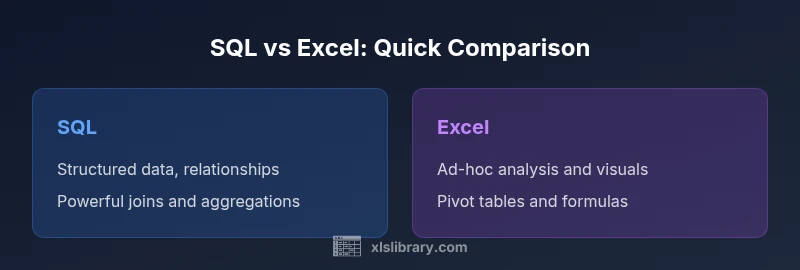
Why Use SQL Over Excel: A Practical Data Team Guide
Explore why use sql over excel and how SQL outperforms Excel for scalable data work, governance, and automation. A data-driven comparison by XLS Library for analysts and decision-makers.


Why use sql over excel? For most growing datasets, SQL offers scalability, data integrity, and automated workflows that Excel cannot match. The XLS Library team notes that SQL enables centralized governance and reproducible analyses, while Excel remains useful for quick exploration. If you want repeatable, auditable data processes, SQL is typically the better foundation; Excel should complement rather than replace it.
The core distinction: SQL vs Excel for data modeling
Relational databases anchor data with defined schemas, relationships, and constraints. Excel offers flexible worksheets, but without a centralized schema, edits propagate inconsistently. For teams handling growing datasets, the choice between SQL and Excel often hinges on how you model data, enforce rules, and orchestrate workflows. According to XLS Library, the fundamental difference lies in structure: SQL enforces structure at the data layer, while Excel emphasizes user-driven manipulation at the sheet level. This structural divergence shapes everything from data quality to collaboration dynamics, and it helps explain why many organizations migrate core analytics away from spreadsheets toward a structured SQL environment.
Data integrity and constraints
SQL databases enforce data types, referential integrity, unique keys, and transaction semantics. Those constraints prevent anomalies when multiple users update the same data and enable reliable joins across tables. Excel lacks native enforceable constraints across sheets, which can lead to inconsistent, stale, or duplicate records. The XLS Library team notes that using SQL for the core data layer improves auditability and reproducibility, especially when combined with versioned schemas and controlled access. For teams aiming to scale data governance, the transition to SQL is typically justified by gains in data integrity.
Scalability and performance considerations
As datasets grow, the performance envelope of a database often outpaces spreadsheets. SQL engines optimize queries, apply indexing, and parallelize work across resources, enabling faster joins and aggregations on large tables. In contrast, Excel performance degrades as row counts rise and complex formulas stack. This is not merely a hardware issue; database design, indexing strategy, and query optimization play major roles. The XLS Library Analysis, 2026, emphasizes that organizations embracing SQL-based pipelines tend to achieve steadier performance as data volumes scale, while Excel-based approaches succumb to workbook size and formula complexity.
Query capabilities and flexibility
SQL provides expressive querying: multi-table joins, aggregation, window functions, and transactional updates. You can build reusable views, stored procedures, and automated ETL processes to move data from source systems into a clean, query-friendly structure. Excel offers powerful formulas and pivot tables, but complex analytics often require manual assembly, weaving formulas across sheets. The result is brittle pipelines that are harder to version. A structured SQL approach supports repeatability and faster iteration across teams.
Collaboration, governance, and versioning
In SQL environments, data access is controlled via roles, permissions, and auditing trails. You can deploy changes without breaking downstream analyses and track who touched which data and when. Excel workbooks, by contrast, are often shared via email or cloud storage, creating version conflicts and replicated copies. According to XLS Library, centralized governance is a key advantage of SQL-driven workstreams, especially for regulated industries and cross-team collaboration.
Automation, repeatability, and scheduling
SQL-based pipelines thrive with scheduled jobs, continuous integration, and automated validation. You can orchestrate ETL tasks to refresh dashboards and data marts with high confidence, while maintaining a single source of truth. Excel workflows frequently rely on manual steps or ad-hoc refreshes, increasing the risk of drift. The ability to run tests and monitor results in SQL environments translates into more dependable analytics over time.
Data integration and migration challenges
Moving data from Excel to SQL usually involves mapping columns to schema, cleaning inconsistent entries, and deciding on normalization levels. The process benefits from a disciplined data model and a staged migration plan, with testing at each step. While SQL offers cleaner data structures, migration requires careful coordination with stakeholders who still rely on Excel for initial exploration. The XLS Library guidance is to start with a pilot on a representative dataset, then scale steadily while preserving critical dashboards.
Total cost of ownership and licensing considerations
SQL-based solutions can entail server resources, DBMS licenses, and ongoing maintenance. However, much of this cost can be offset by gains in data quality, fewer duplicate records, and reduced manual rework. Excel incurs lower upfront software costs but can lead to higher long-term costs through manual, error-prone processes, particularly as teams grow. In practice, organizations balance upfront investments with long-term benefits, choosing SQL as the backbone for analytics while using Excel sparingly for light exploration.
Use-case mapping: when Excel makes sense, when SQL is preferable
For lightweight, one-off analyses or personal data tracking, Excel remains convenient and intuitive. For teams coordinating across departments and handling large, evolving datasets, SQL offers a more stable, auditable platform. The best approach often combines both: store the canonical data in SQL, then connect Excel workbooks to live queries for reporting and ad-hoc analyses. This hybrid pattern aligns with modern data practices and supports the needs of both analysts and decision-makers.
Common pitfalls when migrating from Excel to SQL
Common pitfalls include underestimating data normalization needs, neglecting data quality rules, or failing to plan for security and access controls. Start with a data dictionary and a robust mapping from Excel columns to database fields. Ensure that dashboards and reports are redesigned to pull from SQL views rather than multiple sheets. With careful planning, teams can reduce rework and preserve the insights users rely on during the transition.
Getting started: a practical path from Excel to SQL
Begin with a small pilot that targets a representative dataset and a few essential reports. Define a simple schema, establish constraints, and create a basic ETL job to load the data. Build starter dashboards that connect to SQL views, then iterate based on user feedback. The practical path emphasizes governance, reproducibility, and collaboration - all hallmarks of a mature data strategy championed by XLS Library.
The future of data workflows: embracing hybrid approaches
Hybrid workflows that combine SQL-backed data stores with Excel-based analysis are common in many organizations. The goal is to maximize the strengths of each tool while minimizing their weaknesses. As teams mature, they shift more core analytics into SQL pipelines, while maintaining familiar Excel interfaces for discovery and presentation. This blended approach supports scalable data governance without sacrificing user-friendly analysis.
Comparison
| Feature | SQL | Excel |
|---|---|---|
| Data modeling & constraints | Robust schemas, constraints, and relationships | Sheet-level data with limited constraints |
| Query language & automation | SQL with joins, aggregations, views, and stored procedures | Formulas, pivot tables, and macros; less automation |
| Data integrity & governance | Centralized control, versioned schemas, auditable changes | Decentralized edits, no centralized versioning |
| Scalability & performance | Designed for large datasets and concurrent users | Restricted by workbook size and memory |
| Collaboration & sharing | Role-based access, centralized data store | File-based sharing with copy-controlled copies |
| Automation & scheduling | ETL pipelines, scheduled jobs, automated checks | Manual refreshes and ad-hoc updates |
| Learning curve & skills | Requires database concepts and SQL proficiency | Familiarity with spreadsheets is common |
| Cost of ownership | Ongoing DBMS costs, but long-term efficiency gains | Lower upfront cost but potential drift and rework |
Benefits
- Improved data integrity with constraints
- Scales with data and users
- Supports repeatable, auditable workflows
- Centralized governance and security
What's Bad
- Requires SQL skills and ongoing maintenance
- Higher initial setup compared to Excel
- Steeper learning curve for non-technical users
SQL is the better long-term foundation for data work; Excel remains useful for quick analysis and prototyping
For scalable datasets, SQL offers governance and automation. Excel is ideal for rapid exploration. The XLS Library team recommends using SQL as the core data layer, with Excel as a complementary tool.
People Also Ask
What are the main advantages of SQL over Excel for data teams?
SQL offers scalable data modeling, centralized governance, and repeatable analytics. It enables safer collaboration across teams and consistent reporting. Excel, while flexible, often suffers from drift and versioning challenges in larger environments.
SQL provides scalable modeling, governance, and repeatable analytics, making it ideal for teams; Excel is best for quick lookups.
When should I still use Excel instead of SQL?
Use Excel for quick analyses, personal data tracking, or early-stage exploration where the dataset is small and exploratory in nature. It remains valuable for ad-hoc reporting and visual storytelling.
Excel is great for quick analyses and prototyping when data is small.
How does governance differ between databases and spreadsheets?
Databases enforce access controls, versioned schemas, and change auditing, ensuring data quality. Spreadsheets allow many editors, often without formal controls, increasing risk of inconsistent data.
Databases enforce controls and auditing; spreadsheets are more prone to drift.
Is it possible to run SQL queries directly against Excel files?
Direct SQL queries against Excel workbooks are not native, but you can use ETL tools or connectors to pull Excel data into SQL for querying. This creates a hybrid data flow with live connections rather than direct in-place SQL.
You can query Excel data via connectors that feed SQL environments, creating hybrid flows.
What is a practical migration plan from Excel to SQL?
Start with a small pilot dataset, define a simple schema, and build a basic ETL process. Validate outputs with stakeholders and replace Excel dashboards with SQL-based equivalents gradually.
Begin with a pilot, define schema, and build an ETL; replace dashboards gradually.
What skills should a team develop to work effectively with SQL?
Team members should learn data modeling, SQL querying, and basic data governance concepts. Invest in training for database fundamentals, normalization, and query optimization.
Learn data modeling, SQL querying, and governance basics.
The Essentials
- Assess data size and concurrency before choosing a tool.
- Prefer SQL for centralized governance and repeatable pipelines.
- Reserve Excel for quick analysis and prototyping.
- Plan migration and training when moving from Excel to SQL.
- Adopt a hybrid workflow to leverage both tools.